
Augmented reality for beginners can seem overwhelming at first, until you realize you’ve probably already used it. Ever tried a Snapchat filter or pointed your phone at a restaurant menu to see translations? That’s AR in action. This technology layers digital content onto the real world through your smartphone, tablet, or special glasses. Unlike virtual reality, which replaces your surroundings entirely, augmented reality adds to what you already see. The global AR market hit $42.4 billion in 2023, and analysts expect it to grow rapidly through 2030. Businesses, educators, and everyday users are finding new ways to apply this technology daily. This guide breaks down what augmented reality is, how it works, and how anyone can start using it today.
Table of Contents
ToggleKey Takeaways
- Augmented reality for beginners is more accessible than you think—if you’ve used a Snapchat filter or Google Translate, you’ve already experienced AR.
- Unlike virtual reality, augmented reality adds digital elements to your real-world view rather than replacing your surroundings entirely.
- Most smartphones made after 2017 already have the hardware needed to run AR apps, making it easy to start exploring without extra investment.
- Free apps like IKEA Place, Google Lens, and Pokémon GO offer practical ways to experience augmented reality for beginners without any technical knowledge.
- For best results, use AR apps in well-lit environments and move your device slowly to help the camera accurately map surfaces.
- Those interested in creating AR content can start with free tools like Spark AR Studio or Apple’s Reality Composer—no coding required.
What Is Augmented Reality and How Does It Work?
Augmented reality blends digital elements with the physical environment in real time. When someone opens an AR app, their device’s camera captures the surrounding space. Software then analyzes this footage, identifies surfaces or objects, and places virtual images, text, or animations on top of what the camera sees.
The process relies on several core components working together:
- Camera and sensors: These capture the real-world environment and track movement.
- Processing: The device’s CPU analyzes spatial data and determines where to place digital objects.
- Display: The screen shows the combined view of real and virtual elements.
- Input: Users interact through touch, voice, or gestures.
Augmented reality uses different tracking methods depending on the application. Marker-based AR recognizes specific images or codes, like QR codes, to trigger content. Markerless AR uses GPS, accelerometers, and gyroscopes to position objects without requiring a physical trigger. Surface detection AR identifies flat planes like tables or floors and anchors virtual items to them.
Smartphones handle most consumer-level augmented reality because they already contain cameras, motion sensors, and powerful processors. Dedicated AR glasses like Microsoft HoloLens or Magic Leap offer hands-free experiences but cost significantly more. For beginners exploring augmented reality, a recent iPhone or Android device provides everything needed to get started.
Common Uses of Augmented Reality Today
Augmented reality has moved far beyond novelty filters. It now serves practical purposes across multiple industries.
Retail and Shopping
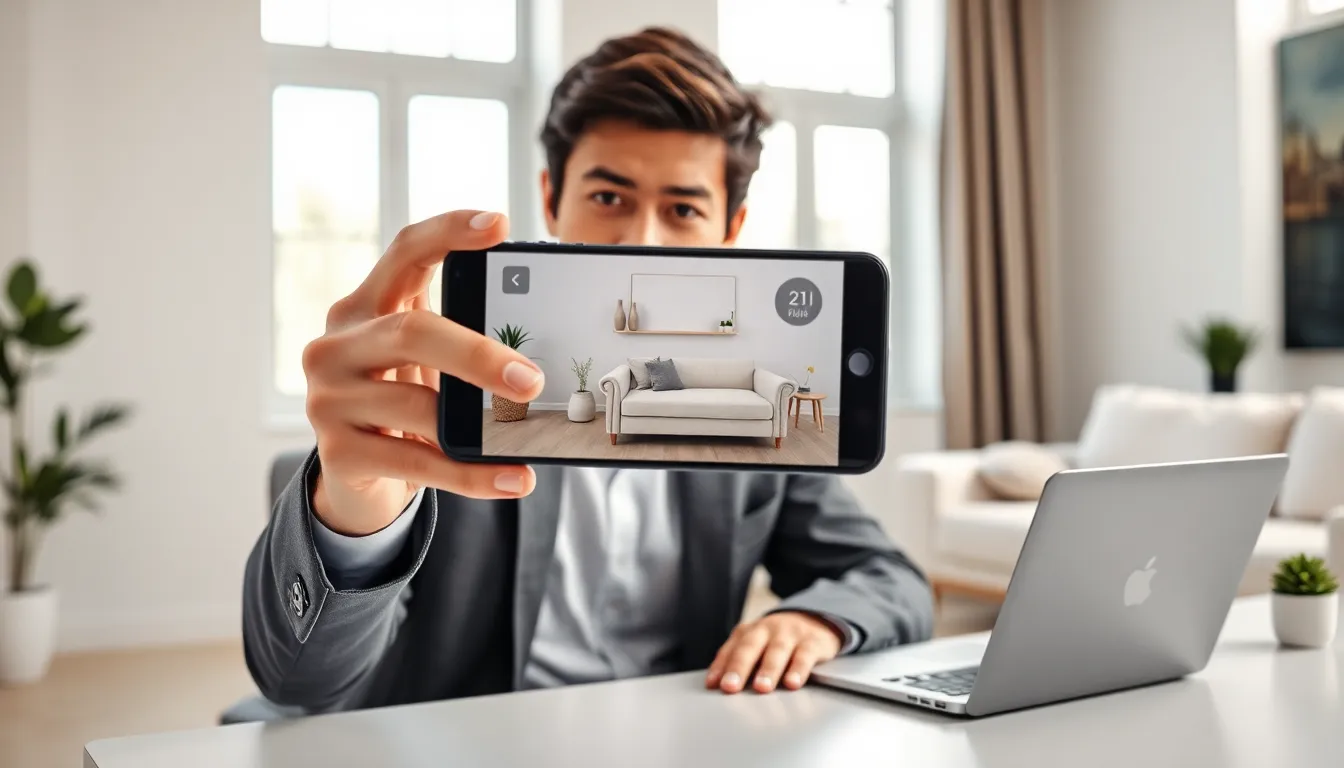
Furniture retailers like IKEA let customers place virtual sofas and tables in their living rooms before buying. Cosmetics brands offer AR try-on features for lipstick and eyeshadow. Warby Parker allows users to see how glasses look on their face through the phone camera. These tools reduce return rates and help shoppers make confident decisions.
Gaming and Entertainment
Pokémon GO remains the most famous example of augmented reality gaming, with players catching virtual creatures in parks and neighborhoods. Other games like Ingress and Jurassic World Alive use similar location-based mechanics. AR also enhances live events, concerts and sports broadcasts sometimes overlay stats or animations for viewers.
Education and Training
Medical students study 3D anatomy models through augmented reality apps. Mechanics learn engine repair by viewing step-by-step AR instructions overlaid on actual equipment. Museums offer interactive exhibits where visitors point their phones at displays to see historical figures come to life. Augmented reality makes abstract concepts tangible.
Navigation and Travel
Google Maps includes a Live View feature that displays walking directions as arrows floating over the real street view. Translation apps like Google Translate use AR to convert foreign text on signs and menus instantly. Tourists can point their cameras at landmarks and receive historical information on screen.
Social Media
Instagram, Snapchat, and TikTok popularized augmented reality through face filters and effects. Brands create custom filters for marketing campaigns. Users spend hours playing with these features daily, often without realizing they’re experiencing AR technology.
Essential Tools and Apps for AR Beginners
Starting with augmented reality requires minimal investment. Most beginners already own the necessary hardware.
Hardware Requirements
iPhones from the SE (2nd generation) onward support ARKit, Apple’s augmented reality framework. Android devices need ARCore compatibility, most phones released after 2018 from Samsung, Google, and OnePlus qualify. Check Google’s official ARCore supported devices list to confirm. Tablets work well too, especially iPads with their larger screens.
Beginner-Friendly AR Apps
IKEA Place: This free app lets users place true-to-scale 3D furniture in their space. It demonstrates surface detection and object placement clearly.
Google Lens: Built into most Android phones and available for iPhone, this app identifies objects, translates text, and provides information about plants, animals, and landmarks.
JigSpace: This educational app presents 3D models that users can examine from every angle. Topics range from how engines work to the structure of DNA.
Snapchat: The platform offers thousands of AR filters called Lenses. Its Lens Studio allows users to create their own effects without coding.
Pokémon GO: Still active with millions of players, this game provides a fun introduction to location-based augmented reality.
Development Platforms for the Curious
Those interested in creating augmented reality content can explore:
- Spark AR Studio (free): Facebook’s tool for building Instagram and Facebook filters.
- Reality Composer (free): Apple’s app for creating AR experiences on iPad and Mac.
- Unity with AR Foundation: A professional game engine with AR capabilities, requiring some coding knowledge.
How to Experience Your First AR Application
Ready to try augmented reality? Here’s a step-by-step approach for complete beginners.
Step 1: Check device compatibility
Open your device’s app store and search for “ARCore” (Android) or check if your iPhone runs iOS 11 or later. Most phones manufactured after 2017 support basic augmented reality functions.
Step 2: Download a simple AR app
Start with IKEA Place or Google Lens. Both are free and demonstrate core AR features without complexity. Avoid jumping into games or creation tools immediately, simpler apps teach fundamental concepts faster.
Step 3: Find good lighting
Augmented reality apps perform best in well-lit environments. Natural light works excellently. Avoid dark rooms or spaces with extreme shadows, as cameras struggle to map surfaces accurately.
Step 4: Grant camera permissions
The app will request access to your camera. This permission is necessary, AR cannot function without seeing your environment. Reputable apps from major companies handle this data responsibly.
Step 5: Move slowly and scan surfaces
Point your camera at a flat surface like a floor or table. Move the device slowly in different directions. The app needs time to map the space and identify where it can place virtual objects. Look for visual indicators showing successful surface detection.
Step 6: Place and interact with virtual objects
Once the app recognizes a surface, tap to place a virtual item. Walk around it. Move closer. The object should stay anchored in place as you shift perspective. This spatial persistence is what makes augmented reality feel real.
Troubleshooting tip: If objects drift or shake, try rescanning the area. Remove clutter from surfaces and ensure consistent lighting. Close background apps to free up processing power.