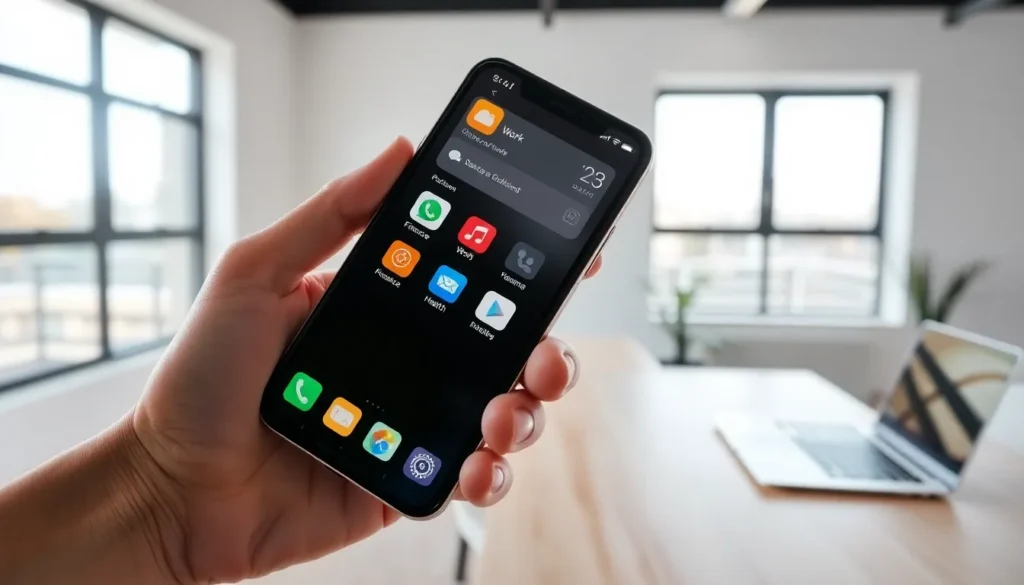


Finding the right apps for beginners can feel overwhelming. App stores offer millions of options, and not all of them welcome new users with open arms. Some apps assume prior knowledge. Others bury essential features behind confusing menus. The good news? Plenty of excellent apps exist specifically with newcomers in mind.
This guide highlights the best apps for beginners across productivity, creativity, and health categories. Whether someone wants to organize their schedule, explore digital art, or start a fitness routine, these recommendations prioritize ease of use without sacrificing functionality. The right app can turn a frustrating experience into an enjoyable one, and help build skills that last.
Table of Contents
ToggleKey Takeaways
- The best apps for beginners feature clean interfaces, built-in tutorials, forgiving design, and gradual feature introduction.
- Top productivity apps for beginners include Todoist, Notion, Google Calendar, and Trello—all offering intuitive task and project management.
- Creative apps like Canva, GarageBand, and VSCO remove barriers to artistic expression with templates and guided tools.
- Health-focused apps for beginners such as MyFitnessPal, Nike Training Club, and Headspace provide supportive guidance without overwhelming new users.
- Start with one app per category, complete onboarding tutorials, and commit to a two-week trial before switching to build lasting habits.
What Makes an App Beginner-Friendly
Not every app earns the “beginner-friendly” label. Certain characteristics separate apps for beginners from those designed for power users.
Clean, intuitive interface. The best beginner apps use simple layouts. Icons make sense. Menus don’t hide important features three levels deep. Users can accomplish basic tasks within minutes of downloading.
Built-in tutorials and guidance. Helpful apps walk new users through core features. Some use quick tooltips. Others offer interactive walkthroughs. Either approach beats dropping users into a blank screen without instructions.
Forgiving design. Beginners make mistakes. Good apps for beginners include undo buttons, confirmation prompts before deleting data, and easy ways to reset settings. They anticipate errors and prevent frustration.
Gradual feature introduction. Apps that reveal advanced features over time prevent overwhelm. A photo editing app might show basic filters first, then introduce layers and masks as users grow comfortable.
Strong community and support. Access to forums, video tutorials, or responsive customer service helps beginners solve problems quickly. An active user community often creates guides and tips that official documentation misses.
Top Productivity Apps for New Users
Productivity apps help users manage time, tasks, and projects. These options stand out as excellent apps for beginners.
Todoist
Todoist offers a straightforward task management experience. Users add tasks, set due dates, and organize items into projects. The free version covers most needs. The interface stays clean even with dozens of tasks. Natural language input lets users type “call mom tomorrow at 3pm” and the app creates the reminder automatically.
Notion
Notion combines notes, databases, and task lists in one platform. While it offers advanced features, beginners can start with simple notes and expand from there. Pre-built templates eliminate the blank page problem. Users can track habits, plan trips, or organize work projects without learning everything at once.
Google Calendar
Google Calendar remains a top choice for schedule management. It syncs across devices instantly. Color-coded events make visual planning easy. Integration with Gmail automatically adds flights, reservations, and appointments. Most beginners find the learning curve minimal.
Trello
Trello uses a visual board system for project management. Users create cards, drag them between columns, and track progress at a glance. The visual approach makes sense immediately. Small teams and solo users both benefit from its flexibility.
Creative Apps With Easy Learning Curves
Creative apps let users explore art, music, and design. These apps for beginners remove barriers to artistic expression.
Canva
Canva democratizes graphic design. Pre-made templates handle the hard decisions about layout and typography. Users drag and drop elements, swap colors, and export professional-looking graphics in minutes. Social media posts, presentations, and flyers all work smoothly. The free tier includes thousands of templates.
Procreate Pocket (iOS) / ibisPaint X (Android)
Digital art becomes accessible with these drawing apps. Both offer pressure-sensitive brushes, layers, and blend modes. Tutorial communities on YouTube provide endless learning resources. Beginners can trace photos, follow step-by-step guides, or experiment freely.
GarageBand
Apple’s free music creation app welcomes complete novices. Smart instruments let users play guitar chords or drum patterns without musical training. The loop library provides building blocks for songs. Users can record vocals, layer tracks, and export finished music, all without reading sheet music.
VSCO
Photo editing becomes simple with VSCO’s curated filters. Users apply presets with one tap, then fine-tune if desired. The app avoids overwhelming slider menus. Results look polished without extensive editing knowledge.
Health and Fitness Apps for First-Timers
Starting a health journey works better with supportive apps. These apps for beginners provide guidance without judgment.
MyFitnessPal
Calorie tracking starts here for millions of users. A database of over 14 million foods makes logging meals quick. Barcode scanning speeds up the process further. The app calculates daily goals based on user input. Beginners appreciate the simple interface and educational content about nutrition basics.
Nike Training Club
Free workout videos cover strength, cardio, yoga, and mobility. Users filter by difficulty, duration, and equipment availability. Professional trainers demonstrate proper form. Beginners can start with 15-minute sessions and progress at their own pace.
Headspace
Meditation apps can feel intimidating to newcomers. Headspace solves this with animated videos that explain concepts before practice sessions. Guided meditations start at just three minutes. The “Basics” course introduces fundamental techniques gradually.
Strava
Runners and cyclists track activities with GPS precision. Strava records pace, distance, and elevation. Social features add motivation through friend connections and kudos. Beginners can set achievable goals and celebrate progress with their network.
Sleep Cycle
Better sleep starts with understanding current patterns. Sleep Cycle analyzes sleep quality using phone sensors. Morning reports show time spent in different sleep stages. The gentle alarm wakes users during light sleep phases.
Tips for Getting the Most Out of New Apps
Downloading apps for beginners marks just the first step. These strategies help users build lasting habits.
Start with one app per category. Installing five productivity apps creates confusion. Pick one, learn it well, then evaluate if alternatives might serve better. Mastery beats variety.
Complete onboarding tutorials. Those introductory screens exist for good reasons. Skipping them means missing features that could save time later. Invest five minutes upfront.
Explore settings early. Notification preferences, display options, and sync settings often hide in menus. Adjusting these prevents annoyances before they accumulate.
Watch YouTube tutorials. Creators post detailed guides for popular apps. A 10-minute video can reveal shortcuts that take weeks to discover independently. Search “[app name] beginner tips” for curated recommendations.
Give apps a fair trial. Initial awkwardness fades with practice. Commit to using a new app for two weeks before deciding it doesn’t work. Habits take time to form.
Check for updates regularly. App developers add features and fix bugs constantly. Outdated versions miss improvements that enhance the experience.